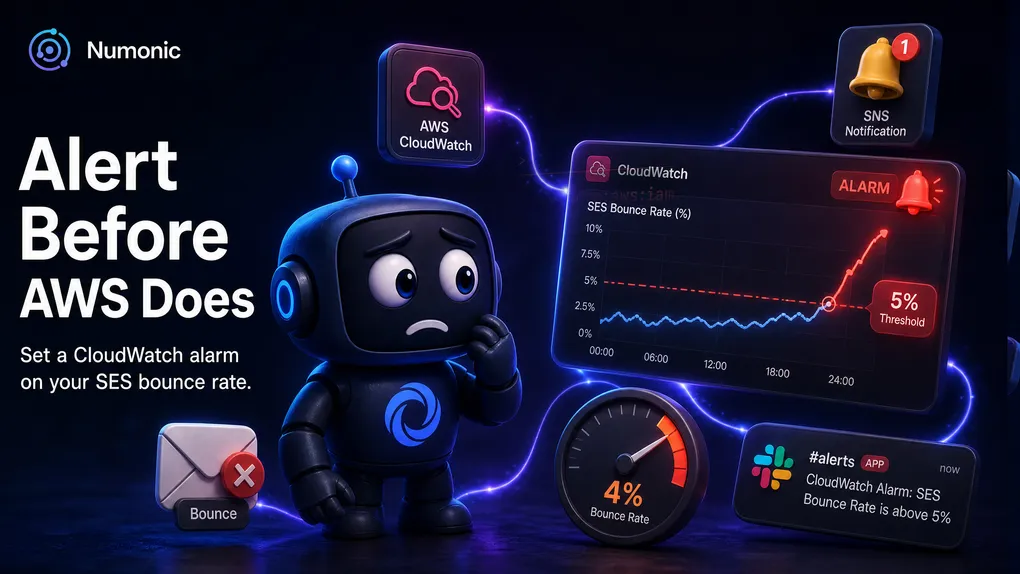
How to Get Alerted When Your Amazon SES Bounce Rate Spikes
 By Brian Havelka · · 3 min read
 By the time you notice your bounce rate climbing in the SES console, AWS may already be reviewing your account. The console is where you look after something’s wrong.
An alarm is how you find out first — while you can still fix it. Here’s how to set one up.
SES Publishes Your Reputation to CloudWatch
SES continuously reports your reputation to CloudWatch as metrics under the AWS/SES namespace:
Reputation.BounceRateReputation.ComplaintRate
Because they’re CloudWatch metrics, you can put an alarm on them — and get pinged the moment one crosses a line you set.
Create the Alarm
- Open CloudWatch → Alarms → Create alarm.
- Select metric →
SES→Account Metrics→Reputation.BounceRate. - Set the threshold below Amazon’s review line (see the next section).
- Under Actions, send the alarm to an SNS topic — one that emails you, or forwards to Slack.
- Repeat the whole thing for
Reputation.ComplaintRate.
That’s it. Now a rising number pages you, not AWS.
What Good Thresholds Look Like
You want to be warned with room to act — before AWS steps in.
- Bounce rate: AWS starts reviewing around 5% and can pause you near 10%. Alarm at 4%.
- Complaint rate: review starts around 0.1%, pausing near 0.5%. Alarm around 0.08%.
Give yourself margin below the review line so crossing the alarm means “act now,” not “you’re already in trouble.” AWS adjusts these numbers quietly, so check their current docs before you commit to a threshold.
Wire It Where You’ll Actually See It
An alarm that fires into an inbox nobody watches is no alarm at all. Point the SNS topic somewhere you’ll notice:
- SNS → email for a small team.
- SNS → Lambda or AWS Chatbot → Slack for anything busier.
Put it in the channel you already stare at all day.
The One Thing Nobody Tells You
These reputation metrics are calculated over Amazon’s trailing window — not this instant. That has two consequences most people learn the hard way:
- The alarm can lag a real spike by hours. A bad send this morning might not trip the alarm until this afternoon.
- One bad batch keeps the number elevated even after you’ve stopped sending to those addresses, because it’s still inside the window.
So treat crossing the line as “investigate now,” not “you’ve got time.” An alarm is a floor — the earliest honest warning — not the full picture.
The Ceiling of What an Alarm Can Tell You
An alarm tells you the number moved. It doesn’t tell you why, which send caused it, or which users are affected. For that, you have to trace bounces back to individual messages and customers — by logging each send’s message ID and matching it to the bounce events.
Knowing the number spiked is the easy part. Knowing what to do about it — which list, which campaign, which addresses to pull — is the hard part, and it’s exactly the gap Numonic is built to close.
The Pattern Underneath
SES will happily let your reputation slide until AWS pauses you — quietly, on its own schedule. The whole game is buying yourself time: an alarm that trips early, pointed somewhere you’ll see it, so you’re the one who catches the spike instead of your customers.