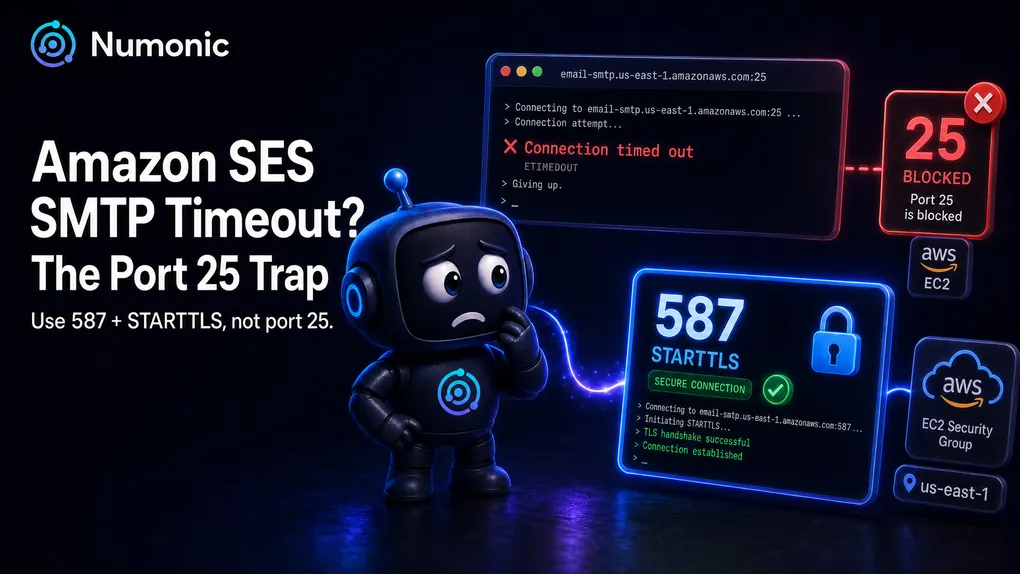
Amazon SES SMTP Timeout: Ports, TLS, and the EC2 Port 25 Trap
 By Brian Havelka · · 5 min read
 Your app tries to send through Amazon SES over SMTP, the connection just sits there, and after a while you get Connection timed out (or ETIMEDOUT, or Read timed out). Before you touch anything else, internalize one thing:
A timeout is not an authentication problem.
If your username or password were wrong, you’d connect and then get rejected — a 535 Authentication Credentials Invalid. A timeout means you never reached the login step at all. The conversation never started. So stop re-checking your SMTP credentials. This is a network problem, and it almost always comes down to a port.
The number-one cause: the EC2 port 25 trap
Here’s the trap that catches almost everyone running on AWS: EC2 blocks outbound traffic on port 25 by default.
AWS does this on purpose to fight spam coming out of its network. It’s not a bug and it’s not something wrong with your setup. But the effect is brutal for debugging, because a blocked port doesn’t reject your connection — it silently drops the packets. Your app reaches out on port 25, gets nothing back, and hangs until it times out. No error, no refusal, just a wait that ends in a timeout.
If you’re on EC2 (or Lightsail, or anything in that network) and you’re connecting to SES on port 25, this is your problem roughly nine times out of ten.
The fix is simple: don’t use port 25. Use port 587 with STARTTLS, or port 465 with TLS. Those are the ports SES actually wants you on, and they’re not throttled the way port 25 is.
Which port (and which TLS mode)
Amazon SES accepts SMTP on several ports. The two you should care about are 587 and 465 — and the critical detail is that each port expects a different TLS handshake. Match the mode to the port or the connection stalls.
| Port | TLS mode | How it works |
|---|---|---|
| 587 | STARTTLS | Connect in plaintext, say EHLO, then upgrade the connection to TLS with STARTTLS. Recommended. |
| 465 | TLS on connect (implicit) | The connection is encrypted from the very first byte. |
| 2587 | STARTTLS | Same as 587, alternate port if 587 is blocked upstream. |
| 2465 | TLS on connect | Same as 465, alternate port if 465 is blocked. |
| 25 | STARTTLS | Works in theory, but blocked outbound on EC2 by default. Avoid. |
SES requires an encrypted connection, so plaintext-only will never send. The mismatch that trips people up:
- Point a STARTTLS client at 465, and it waits for a plaintext greeting that never comes (465 is already encrypted) — it stalls.
- Point a TLS-on-connect client at 587, and it tries to negotiate TLS against a port expecting plaintext-first — it stalls.
In most libraries this is a single flag. In Nodemailer, for example, secure: true means port 465, and secure: false means port 587 with STARTTLS. Flip that flag to match the port and the stall disappears.
The rest of the network checklist
Once you’re on the right port with the right TLS mode, a timeout that persists is coming from somewhere between your app and SES:
- Security group outbound rules. Your instance’s security group has to allow outbound traffic on the port you’re using (587 or 465). Security groups allow all outbound by default, but if yours has been locked down, this is an easy miss.
- Network ACLs. If you’re using custom NACLs on your subnet, they need to allow the outbound port and the return traffic on ephemeral ports.
- Private subnets need a route out. An instance in a private subnet has no path to the internet without a NAT gateway. No NAT, no SES — the connection just times out.
- Endpoint has to match your region. Your SMTP credentials and verified identities are region-specific, so use the endpoint for the region where you set SES up — like
email-smtp.us-east-1.amazonaws.com. A typo in the hostname gives you a DNS failure; the wrong (but valid) region gives you auth and identity errors once you do connect.
Diagnose it in ten seconds
Before changing code, test raw connectivity to the port. If this hangs, it’s a network/port issue, not your app:
# Does the port even open?
nc -vz email-smtp.us-east-1.amazonaws.com 587

# Or watch the full TLS handshake
openssl s_client -starttls smtp -connect email-smtp.us-east-1.amazonaws.com:587
If nc connects on 587 but your app was pointed at 25, you just found your bug. If 587 also hangs, look at your security group, NACLs, and whether the instance has a route to the internet at all.
One thing nobody tells you
You can ask AWS to remove the port 25 throttle by filling out a request form — but you almost never should. Port 587 does everything you need, it’s the recommended path, and it’s not throttled. If you find yourself filling out the port-25 unblock form, that’s usually a sign you’re solving the wrong problem. Switch to 587, not paperwork.
The 30-second checklist
- Timeout, not
535? → It’s the network, not your password. - On EC2 and using port 25? → Switch to 587 (STARTTLS) or 465 (TLS on connect).
- TLS mode matches the port? → 587 = STARTTLS, 465 = TLS-on-connect.
- Security group allows outbound on that port?
- Private subnet → is there a NAT gateway?
- Endpoint region matches where you set up SES?
Chasing a timeout is really just asking “where did the connection die?” — and the answer is almost always a port, a firewall rule, or a missing route, not your credentials. Numonic watches your SES sending pipeline end to end and tells you exactly where things break, so you’re not guessing which layer failed. Learn more at numonic.com.