Amazon SES Paused My Sending: How to Fix Bounce and Complaint Rates
 By Brian Havelka · · 4 min read
 SES paused your sending — or warned you it’s about to.
Almost always, it comes down to one of two numbers: your bounce rate or your complaint rate. They aren’t the only signals SES weighs, but they’re the ones that get accounts paused.
Here’s what the thresholds are, why each number climbs, and how to write the remediation plan AWS actually accepts.
The Two Numbers
Bounce rate — the share of your mail that hard-bounces, going to addresses that don’t exist.
Complaint rate — the share of recipients who mark your mail as spam.
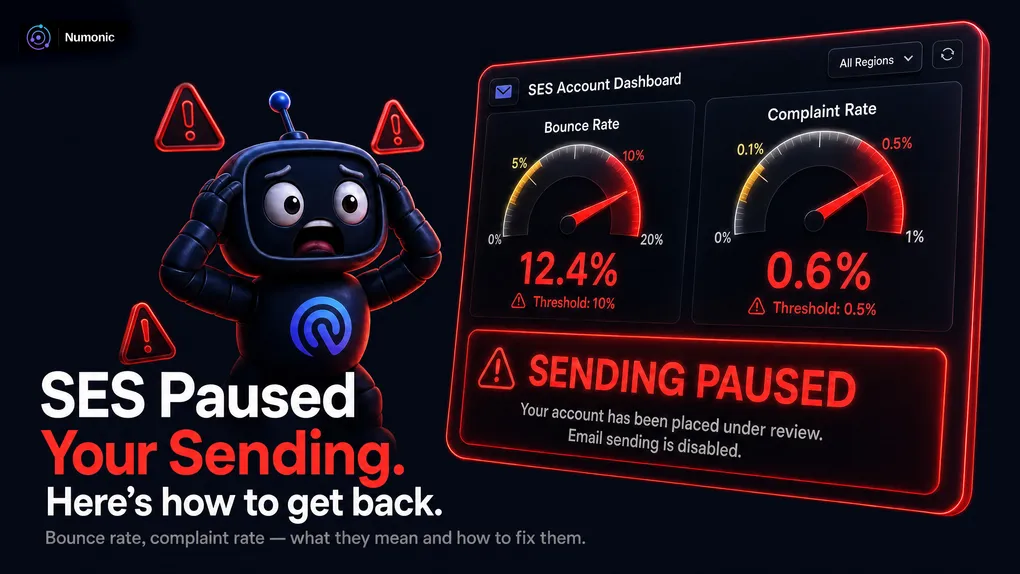
As of writing, SES starts reviewing an account around 5% bounces or 0.1% complaints, and sending gets paused closer to 10% and 0.5%.
Amazon moves these numbers, so treat them as the shape of the problem, not gospel — check the current SES documentation for exact figures.
Where to Look
The SES account dashboard shows both rates, calculated over Amazon’s trailing window.
That window matters more than it looks — we’ll come back to it.
If Your Bounce Rate Is High
A high bounce rate means you’re sending to addresses that don’t exist — usually old ones that have gone stale.
The fix is subtraction, not addition:
- Stop sending to your oldest, never-engaged addresses first.
- Validate new addresses at signup, and prefer confirmed opt-in.
- Never import an old or purchased list into SES — it’s the fastest way to a pause.
The key thing to understand: you cannot fix a bounce rate by sending more. Adding fresh volume to dilute the number just sends more mail to bad addresses. The rate comes down when you stop hitting the addresses that bounce.
Not sure which bounces mean “dead address” versus something temporary? Paste the code into the free Numonic decoder — it tells you which bounces mean remove this address and which don’t.
If Your Complaint Rate Is High
A high complaint rate usually means one of two things: people don’t remember signing up, or they can’t find your unsubscribe link and hit “spam” instead.
The fix:
- Make unsubscribing one click. Add a working List-Unsubscribe header (Gmail and Yahoo now require it for bulk senders anyway).
- Make it obvious who you are and why they’re getting the email.
- Only send to people who actually opted in, and honor unsubscribes immediately.
Hiding the unsubscribe link doesn’t keep subscribers. It just turns the spam button into your unsubscribe button — and the spam button is the one that wrecks your reputation.
If You’re Already Paused: The Remediation Plan
When SES pauses you, it asks for a remediation plan through AWS Support Center → Create case.
A human reads it. So write it like one:
- Lead with the actions you’ve already taken — what you removed, what you fixed, what you changed.
- Then explain how you’ll keep the rates down going forward.
- Plain sentences. Concrete steps. Specific numbers.
Honesty beats lawyer-speak. “We removed 12,000 addresses that hadn’t engaged in over a year and switched to double opt-in” lands far better than a paragraph of corporate reassurance. Show that the problem is understood and already being fixed.
The One Thing Nobody Tells You
Those rates are calculated on Amazon’s trailing window, not yours.
That has two consequences most people learn the hard way:
- One bad batch can poison the number for days, even after you’ve stopped sending to bad addresses.
- The way back is a steady stream of good mail — clean, engaged, low-bounce sends that push the window back toward healthy.
So recovery isn’t “stop and hope.” Going silent just freezes the bad number in place. It’s “stop the bad sends, keep the good ones flowing.” The rate is an average, and the only way to move an average is with better numbers on the other side.
Catch It Before AWS Does
By the time SES pauses you, the damage is done and you’re writing an apology.
The rates that get you paused climb gradually and visibly — a bounce spike here, a complaint bump there — usually days before they cross a threshold.
The teams that never get paused are the ones watching those numbers move, not the ones reading the pause email.
No account required.