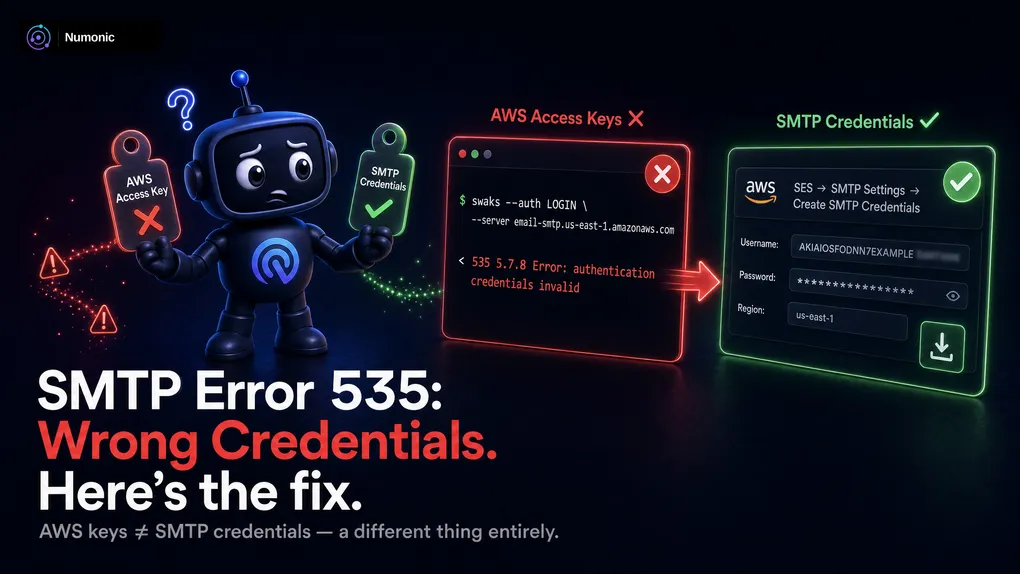
Amazon SES SMTP Credentials Not Working: How to Fix the 535 Authentication Error
 By Brian Havelka · · 4 min read
 535 Authentication Credentials Invalid.
Your SMTP send just failed, and SES is telling you the username and password it received aren’t valid.
Ninety percent of the time it’s the same single mistake — and it’s an easy one to make.
Here’s what’s actually wrong, how to generate the right credentials, and the three less-obvious things that still cause a 535 after you think you’ve fixed it.
First: SMTP Credentials Are Not Your AWS Access Keys
This is the mistake almost everyone makes.
You have AWS access keys — an access key ID and a secret access key — that you use for the AWS CLI and the SDKs.
You cannot use those for SMTP.
SES SMTP uses a separate username and password. The SMTP password isn’t your secret access key — it’s derived from an IAM secret using a specific algorithm that includes the AWS region. Paste your normal access keys into your SMTP config and you’ll get a 535 every time.
The good news: SES generates the correct credentials for you. You just have to create them.
How to Create Real SMTP Credentials
In the SES console:
Amazon SES → SMTP settings → Create SMTP credentials.
This creates a small, dedicated IAM user whose only job is sending mail, and hands you an SMTP username and password.
One thing that trips people up: the final screen is the only time those credentials are ever shown.
- Download the
.csvon that last screen. - If you lose it, you can’t recover it — you delete the user and create a new set.
How to store them
Never hard-code SMTP credentials in your app or commit them to your repo.
Put them somewhere secure — AWS Secrets Manager, a secrets vault, or environment variables injected at runtime — and read them from there.
Three Gotchas That Still Cause 535
You created real SMTP credentials and you’re still getting a 535. It’s almost always one of these.
1. Credentials are tied to a region
SMTP credentials are computed using the AWS region they were created in.
Credentials generated for us-east-1 will not authenticate against the Europe endpoint. Switch regions, and you generate a new set.
2. The endpoint has to match your verified region
Your SMTP endpoint looks like email-smtp.us-east-1.amazonaws.com.
The region in that hostname has to match the region where you verified your domain and created your credentials. A mismatch here looks exactly like bad credentials — a 535 — even when the credentials themselves are fine.
3. The SMTP username is a generated string, not your email
The username SES gives you is a generated identifier (it’s the IAM access key ID for that user). It is not your email address, and it’s not something you make up.
Use the exact string from the download. Typos — and “I’ll just use my email address” — are common 535 causes.
Plug Them In
Once you have the right credentials and the matching endpoint:
- Host:
email-smtp.<your-region>.amazonaws.com - Port: 587
- Encryption: STARTTLS
- Username / Password: the generated SMTP credentials
That’s a working SES SMTP connection.
(If port 587 hangs instead of rejecting, that’s a different problem — usually a blocked port, not bad credentials.)
The One Thing Nobody Tells You
The SMTP user SES created is a normal IAM user.
If you run a script — or use a tool — that rotates or cleans up IAM access keys on a schedule, it can rotate or delete your SMTP user’s key right out from under you. Your credentials worked yesterday and throw a 535 today, with no change on your end.
Tag that IAM user clearly — something like purpose: ses-smtp — and exclude it from any key-rotation or cleanup automation, so nothing touches it by accident.
Hit a Different SMTP Code?
535 5.7.8 is authentication. But SMTP has a whole family of codes, and most of them are just as cryptic.
Paste any SMTP or bounce code into the free Numonic Bounce & SMTP Decoder and it tells you what it means, what caused it, and what to do about it.
No account required.