How to Check SPF, DKIM, and DMARC (And Fix Common Email DNS Problems)
 By Brian Havelka · · 5 min read
 You send the email. The ESP says Delivered. And then nothing happens.
No reply. No click. No conversion. Eventually a customer opens a support ticket because they never received the password reset email.
Most people assume this is an email problem. Often, it’s a DNS problem.
Before Gmail, Outlook, Yahoo, or Apple Mail decide what to do with your email, they check whether your domain is properly authenticated. The three most important signals are SPF, DKIM, and DMARC.
If those records are missing, broken, or misconfigured, mailbox providers become much less likely to trust your email.
The frustrating part is that these problems are usually invisible. Most teams don’t discover them until something important stops working.
Check Your Domain First
Before diving into the technical details, it’s worth checking whether your domain is configured correctly.
Use the free Numonic DNS Checker:
- Checks SPF, DKIM, DMARC, and MX records
- Identifies missing or broken records
- Explains problems in plain English
- Shows exactly what needs to change
No account required. Takes about 10 seconds.
What Is SPF?
SPF (Sender Policy Framework) tells mailbox providers which servers are allowed to send email on behalf of your domain.
Think of it as an approved sender list.
When Gmail receives a message claiming to be from you@yourdomain.com, it checks your SPF record and asks:
Is the server that sent this message authorized to send mail for this domain?
If the answer is yes, SPF passes. If not, the message becomes more suspicious.
A typical SPF record looks like:
v=spf1 include:_spf.google.com include:sendgrid.net ~allThis says:
- Google Workspace can send mail for this domain
- SendGrid can send mail for this domain
- Everything else should be treated cautiously
Common SPF Problems
- No SPF record exists
- Multiple SPF records exist (only one is allowed)
- A new email provider was added but never included
- An old provider was removed incorrectly
- The record exceeds SPF lookup limits
What Is DKIM?
DKIM (DomainKeys Identified Mail) proves that an email actually came from your domain and wasn’t modified after it was sent.
Your email provider generates a cryptographic signature for every message. Mailbox providers verify that signature using a public key stored in DNS. If the signature matches, the message is considered authentic.
A DKIM record looks something like:
v=DKIM1; k=rsa; p=MIGfMA0GCSqGSIb3DQEBAQUAA4GNADCB...The long value after p= is the public key.
Common DKIM Problems
- DKIM was never enabled
- The DNS record exists but the provider isn’t signing mail
- The record was added to the wrong selector
- DNS changes removed the key
- Key rotation occurred without updating DNS
What Is DMARC?
DMARC (Domain-based Message Authentication, Reporting, and Conformance) sits on top of SPF and DKIM. It tells mailbox providers what to do when authentication fails.
A basic DMARC record looks like:
v=DMARC1; p=none; rua=mailto:dmarc-reports@yourdomain.comThe policy controls enforcement:
p=none— monitor onlyp=quarantine— send failures to spamp=reject— reject failures completely
DMARC also provides reporting, allowing mailbox providers to send aggregate reports showing who is sending email claiming to be from your domain.
Common DMARC Problems
- No DMARC record exists
- The policy is stuck at
p=none - Reports are never reviewed
- SPF and DKIM pass individually but fail alignment
- Enforcement is enabled before authentication is fully configured
How SPF, DKIM, and DMARC Work Together
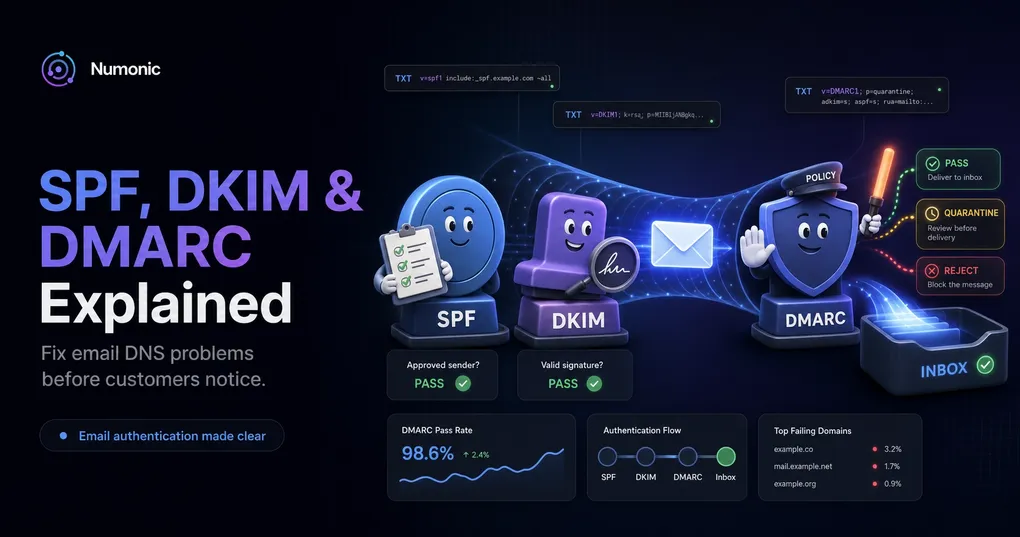
These records form a layered authentication system.
SPF verifies the sending server. DKIM verifies the message signature. DMARC verifies alignment and tells providers what to do when authentication fails.
A common misconception is that passing SPF or DKIM automatically means everything is configured correctly. It doesn’t.
DMARC requires proper alignment between your sending domain and your authentication records. That means the domain in your From: header needs to match the domain that passed SPF or DKIM validation. Someone can technically pass SPF by sending through a legitimate server, but if their From: domain doesn’t match, DMARC catches it.
That’s why domains can appear “mostly configured” while still having deliverability issues.
Why These Records Matter More Than Ever
Google and Yahoo have dramatically increased authentication requirements in recent years. For bulk senders, SPF, DKIM, and DMARC are effectively mandatory.
But even small senders benefit from proper authentication. Without it:
- Password reset emails can be filtered
- Receipt emails can disappear
- Trial conversion rates can suffer
- Legitimate messages can land in spam
- Domain spoofing becomes easier
Authentication isn’t a deliverability strategy. It’s the minimum requirement for participating in modern email.
DNS Records Drift
Most authentication problems aren’t caused by mistakes during setup. They’re caused by changes over time.
Examples:
- A team switches from SendGrid to Resend
- Marketing adds a new email platform
- IT migrates DNS providers
- A DKIM key expires
- An old SPF include is removed incorrectly
Everything worked six months ago. Then something changed.
That’s why periodic checks matter.
Quick Reference
| Record | Purpose | Location |
|---|---|---|
| SPF | Authorizes sending servers | DNS TXT record at root domain |
| DKIM | Verifies message signatures | DNS TXT record at selector._domainkey |
| DMARC | Controls enforcement and reporting | DNS TXT record at _dmarc |
How To Check Your DNS Records
The fastest way to verify SPF, DKIM, DMARC, and MX records is with the free Numonic DNS Checker.
Enter your domain and you’ll see:
- Which records are present
- Which records are missing
- Which records need attention
- Exactly what to change
- Copy-and-paste record recommendations where applicable
No account required. Because finding a DNS problem after customers stop receiving email is much more expensive than finding it today.