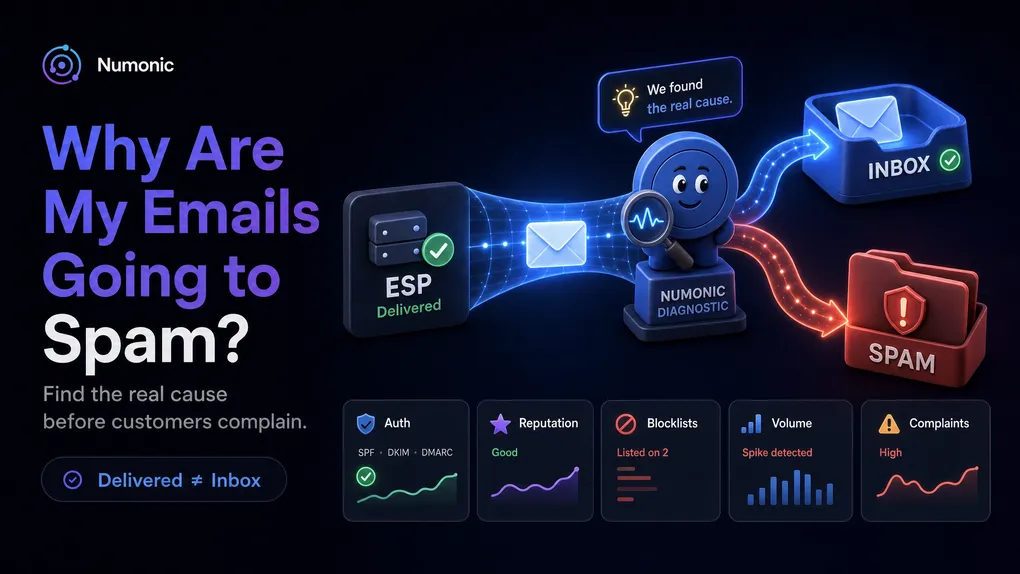
Why Are My Emails Going to Spam? How to Find the Real Cause
 By Brian Havelka · · 5 min read
 Your ESP says the email was delivered.
Your customer says they never got it.
Somewhere between those two facts, something went wrong.
This is one of the most frustrating problems in email because the symptoms are obvious, but the cause usually isn’t. Password reset emails stop arriving. Receipt emails disappear. Trial conversions suddenly drop. Support tickets start piling up.
The worst part is that most teams don’t discover the problem until customers tell them.
If your emails are landing in spam, here’s how to systematically find the cause.
First: “Delivered” Doesn’t Mean Inbox
Many email platforms use the word delivered to mean:
The receiving mail server accepted the message.
It does not necessarily mean:
The message reached the inbox.
A message can be accepted by Gmail and still be routed to spam, promotions, quarantine, or another filtered location.
That’s why troubleshooting spam placement requires looking beyond your ESP.
Step 1: Check SPF, DKIM, and DMARC
Email authentication is the first thing mailbox providers evaluate.
If SPF, DKIM, or DMARC are missing or broken, mailbox providers become much less likely to trust your email.
Common problems include:
- Missing SPF records
- Multiple SPF records
- DKIM signing disabled
- Missing DMARC policies
- DMARC alignment failures
- Authentication records that broke during a provider migration
How to fix it
Verify:
- SPF exists and includes every legitimate sender
- DKIM signing is enabled in your provider
- DMARC is configured correctly
The fastest way to check all three is to run a DNS audit of your domain.
Step 2: Check Your Domain Reputation
Authentication can be perfect and emails can still land in spam.
This surprises many teams.
Mailbox providers maintain reputation scores for domains based on long-term behavior.
Factors include:
- Spam complaints
- User engagement
- Bounce rates
- Sending consistency
- Historical sending behavior
A reputation decline often looks like:
- Open rates falling
- More emails landing in spam
- Gmail performance deteriorating first
- No obvious errors in your ESP
How to fix it
Review:
- Complaint rates
- Recent sending changes
- Engagement trends
- Large volume increases
For Gmail specifically, Google Postmaster Tools is often the best place to start.
Step 3: Check Whether You’re On A Blocklist
Many receiving systems consult third-party reputation services before deciding what to do with email.
If your domain or IP appears on a major blocklist, deliverability can suffer immediately.
Common causes include:
- Spam complaints
- Poor list hygiene
- Compromised accounts
- Sending from infrastructure with existing reputation issues
How to fix it
Check major blocklists including:
- Spamhaus
- Barracuda
- Proofpoint
If listed, follow the provider’s removal process and investigate the underlying cause before requesting delisting.
Step 4: Review Recent Infrastructure Changes
Many deliverability problems begin with a change that seemed unrelated.
Common examples:
- Moving from SendGrid to Resend
- Switching DNS providers
- Adding a marketing platform
- Changing sending domains
- Rotating DKIM keys
- Replacing email infrastructure
Everything may appear healthy immediately after the change.
The problem often surfaces days or weeks later.
How to fix it
Review all email-related changes made during the past 30 days and re-validate authentication afterward.
Step 5: Check Sending Volume And Complaints
Mailbox providers pay close attention to patterns.
A sudden increase in volume can trigger filtering even if the email itself is legitimate.
Likewise, complaint rates can damage reputation surprisingly quickly.
Warning signs include:
- Large campaign launches
- Sudden spikes in transactional volume
- Purchased email lists
- Increased unsubscribe rates
- Rising spam complaints
How to fix it
Gradually increase volume when possible and monitor complaint rates carefully.
Google recommends keeping spam complaint rates below 0.3%.
Step 6: The Hardest Scenario
This is where most teams get stuck.
Everything appears correct.
SPF passes.
DKIM passes.
DMARC passes.
You’re not on a blocklist.
And yet emails still go to spam.
This is often where traditional troubleshooting breaks down.
At this point the issue is usually related to:
- Domain reputation
- Recipient engagement
- Mailbox-provider-specific filtering
- Historical sender behavior
- Signals that exist outside your ESP
This is also the point where most teams run out of visibility.
The problem isn’t fixing the issue.
The problem is figuring out what changed.
How to fix it
At this stage, the goal is visibility.
You need to monitor:
- Domain reputation
- DMARC alignment trends
- Blocklist status
- Complaint rates
- Provider-specific signals such as Google Postmaster
The challenge is that these signals live across multiple systems and often change long before customers notice a problem.
That’s why many teams move from one-time troubleshooting to continuous monitoring.
The Real Problem: You Usually Find Out Too Late
Most email failures aren’t discovered because monitoring caught them.
They’re discovered because:
- A customer complains
- Support tickets increase
- Password reset completion rates drop
- Trial conversions decline
- Revenue is affected
By the time someone notices, the issue may have existed for days or weeks.
That’s what makes email difficult.
The failure is often silent.
The good news is that most email problems leave clues before they become outages.
Authentication breaks.
Reputation declines.
Blocklists appear.
DMARC alignment drifts.
The earlier you catch those signals, the easier they are to fix.
Check SPF, DKIM, and DMARC First
Whether you’re troubleshooting a current issue or validating a healthy setup, authentication is the best place to start.
Check:
- SPF
- DKIM
- DMARC
- MX
If something is broken, fixing it can dramatically improve deliverability.
If everything looks healthy, continue investigating reputation, blocklists, and provider-specific signals.
Use the free Numonic DNS Checker to verify your email authentication records and get specific recommendations for anything that needs attention.
No account required.