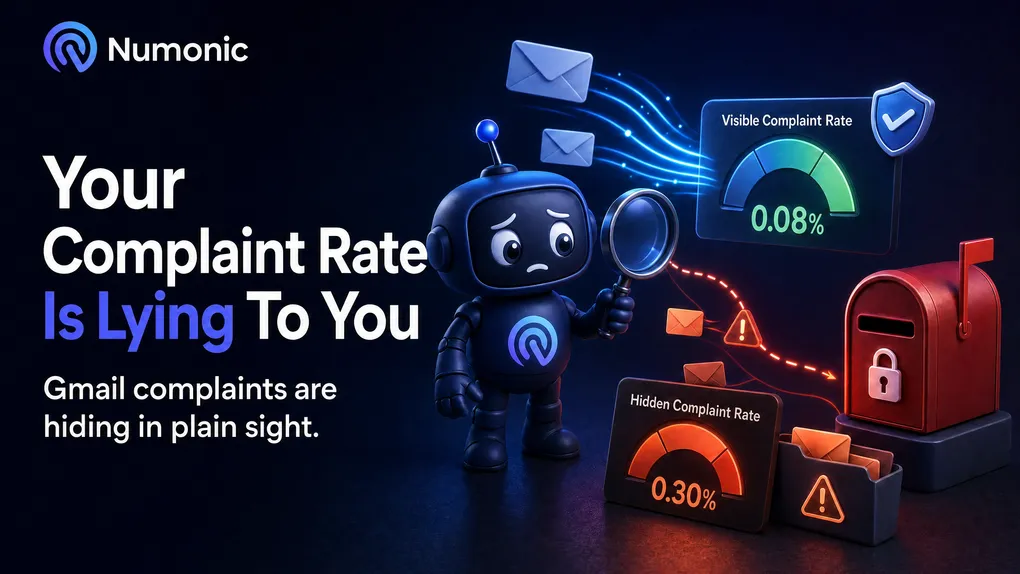
Your complaint rate is lying to you
 By Brian Havelka · · 3 min read
 One of the most important deliverability metrics in your dashboard isn’t measuring what you think it is.
Your ESP says your complaint rate is 0.08%. Comfortably under the line. You can trust that number, right?
Wrong. Your real complaint rate is probably three to five times higher than that.
Here’s why. Your complaint rate only counts complaints your ESP actually receives. When someone hits “Report Spam,” their mailbox provider has to send that complaint back to you. Yahoo does it. Microsoft does it. Most providers do it.
Gmail doesn’t. Gmail never sends individual spam complaints — not to you, not to your ESP, not to anyone. The only Gmail complaint signal that exists is an anonymous, aggregate spam rate buried in Google Postmaster Tools. None of it flows into the complaint rate your ESP shows you.
Now think about who’s actually on your list. For most senders, Gmail is the majority of it — often 60–70% of every send. So the single biggest chunk of your audience is completely invisible in the one number you’re using to judge whether people hate your email.
Do the math. If Gmail is ~70% of your recipients and you can’t see a single complaint from any of them, the rate you’re looking at is built from the other 30%. Your true complaint rate could easily be three to five times what’s on the dashboard. The number that looks safe at 0.08% might really be 0.3% or worse — which is exactly where Gmail starts routing you straight to spam.
And it gets worse. Because Gmail complaints are anonymous, you can’t identify who complained. Which means you can’t suppress them. So those people stay on your list. They keep receiving your email. They keep marking it as spam. Every send digs the hole deeper — and your complaint rate still says everything’s fine.
That’s the trap: the metric looks healthy precisely because it can’t see the damage being done.
What to actually do:
- Set up Google Postmaster Tools. It’s the only place Gmail’s spam rate exists. Free, 10 minutes, one DNS record to verify your domain.
- Judge yourself by the Postmaster spam rate, not your ESP’s complaint rate. Keep it under 0.10%. Never let it hit 0.30%.
- Add a
Feedback-IDheader to your sends. It lets Postmaster Tools break the spam rate down by campaign, so you can see which mail is generating complaints instead of guessing. - Stop trusting one number. Real complaint monitoring means watching your ESP, Postmaster Tools, and Microsoft’s tools together — because no single one of them sees the whole picture. (If you’re still trying to diagnose why mail is being filtered in the first place, start with Why Are My Emails Going to Spam?.)
Your complaint rate measures everyone except the inbox that matters most. Until you’re looking at Google Postmaster Tools, you don’t actually know your complaint rate — you know a fraction of it.
No account required.
Sources: AWS — Understanding Google Postmaster Tools for SES senders · Suped — scope of Postmaster Tools FBL spam rates · Google Workspace Admin — Feedback Loop